








Skip to technology filters Skip to main content
Dynatrace Hub

Extend the platform,
empower your team.

Popular searches:
Home hero bg
MobileMobile
Mobile

Mobile

Analyze real user monitoring data of mobile apps in context with the backend.

App
Free trialDocumentation
  • Product information

Overview

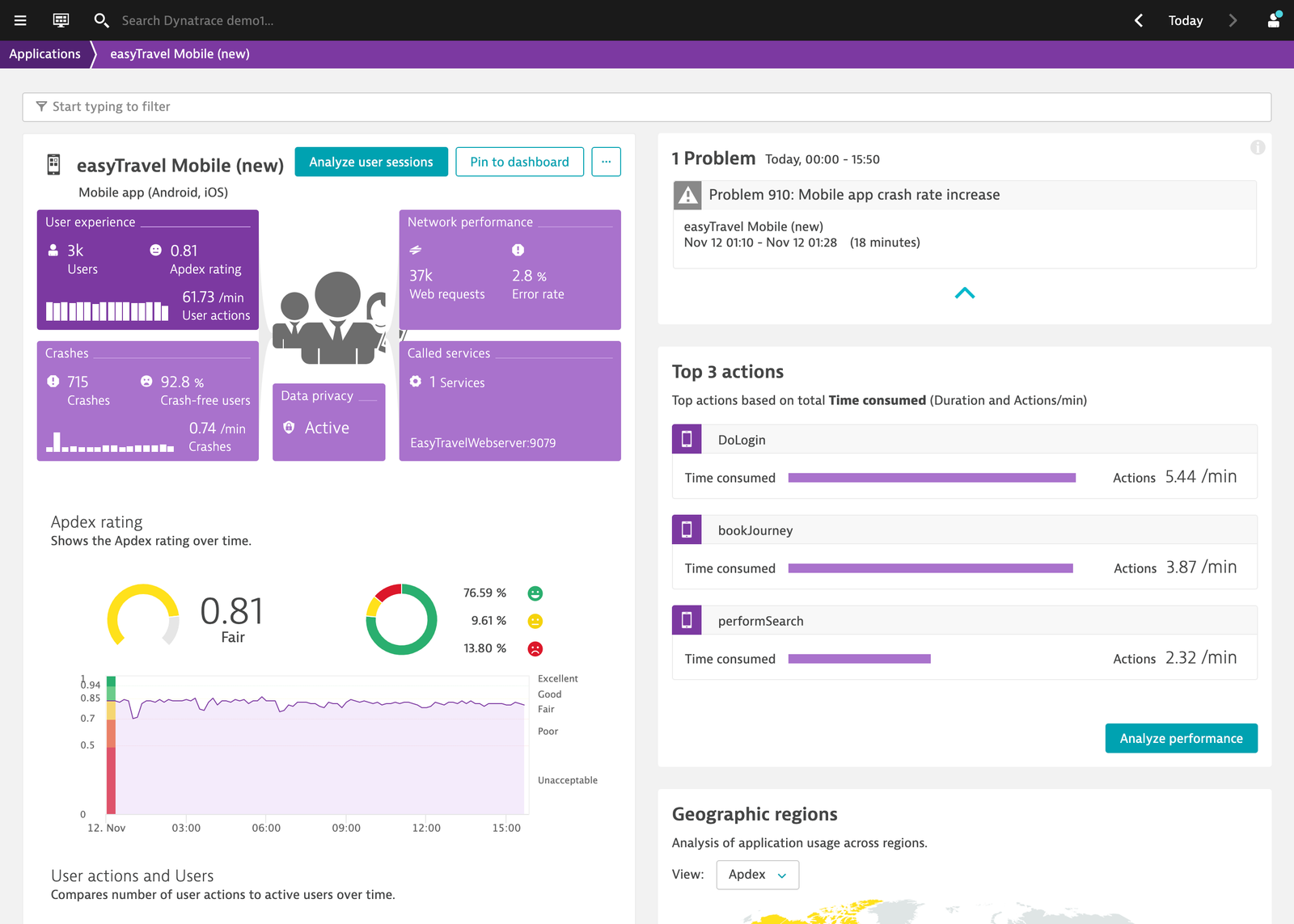
Monitor and optimize your mobile applications to drive customer engagement and retention with end-to-end visibility, detailed crash and performance analytics, and insights into your users’ experiences.

Use cases

  • Manage your mobile applications.
  • Get an overview of key metrics like Apdex or crash rates.
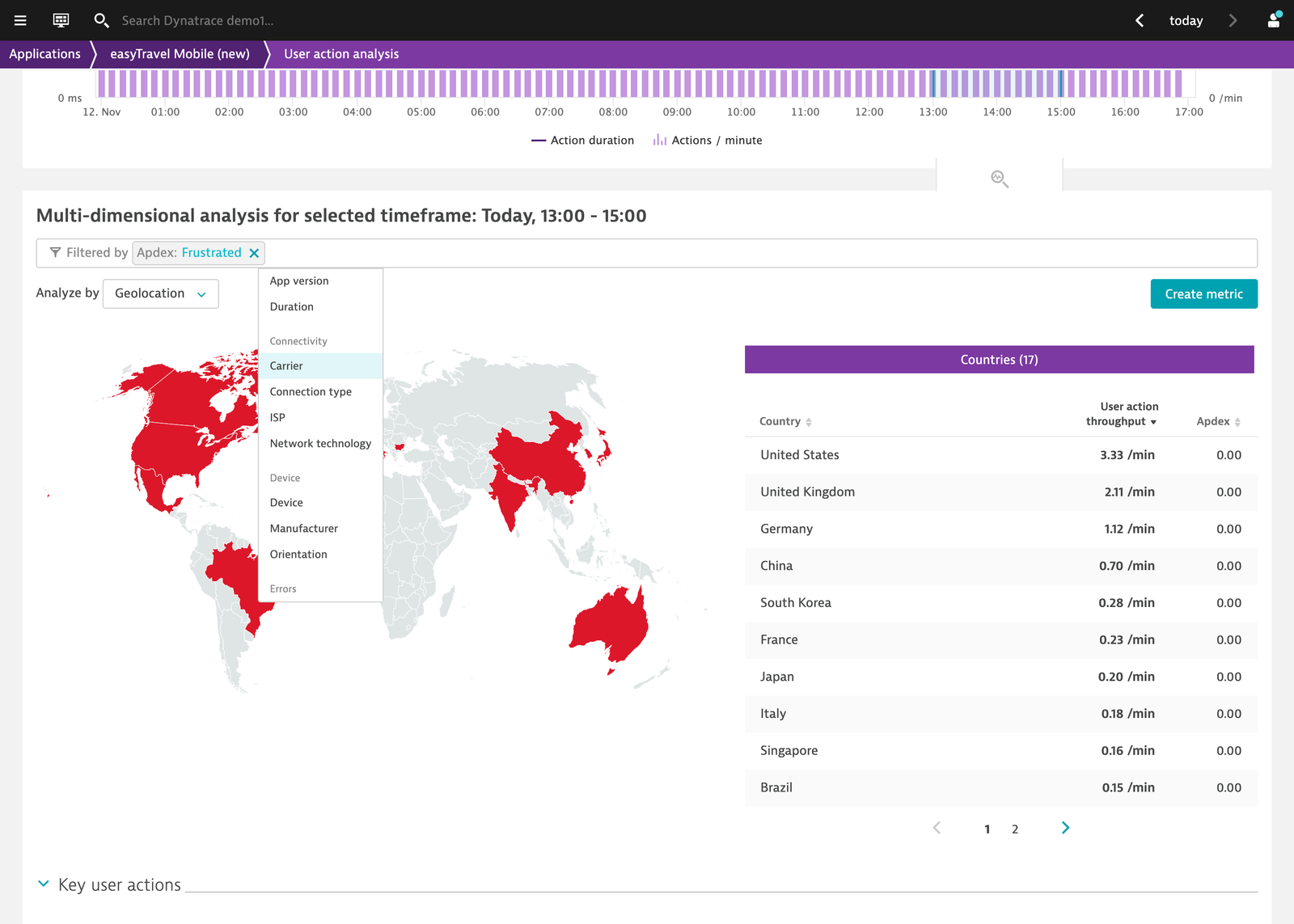
  • Analyze all crashes and errors.
  • Get insights from user behavior and business value.
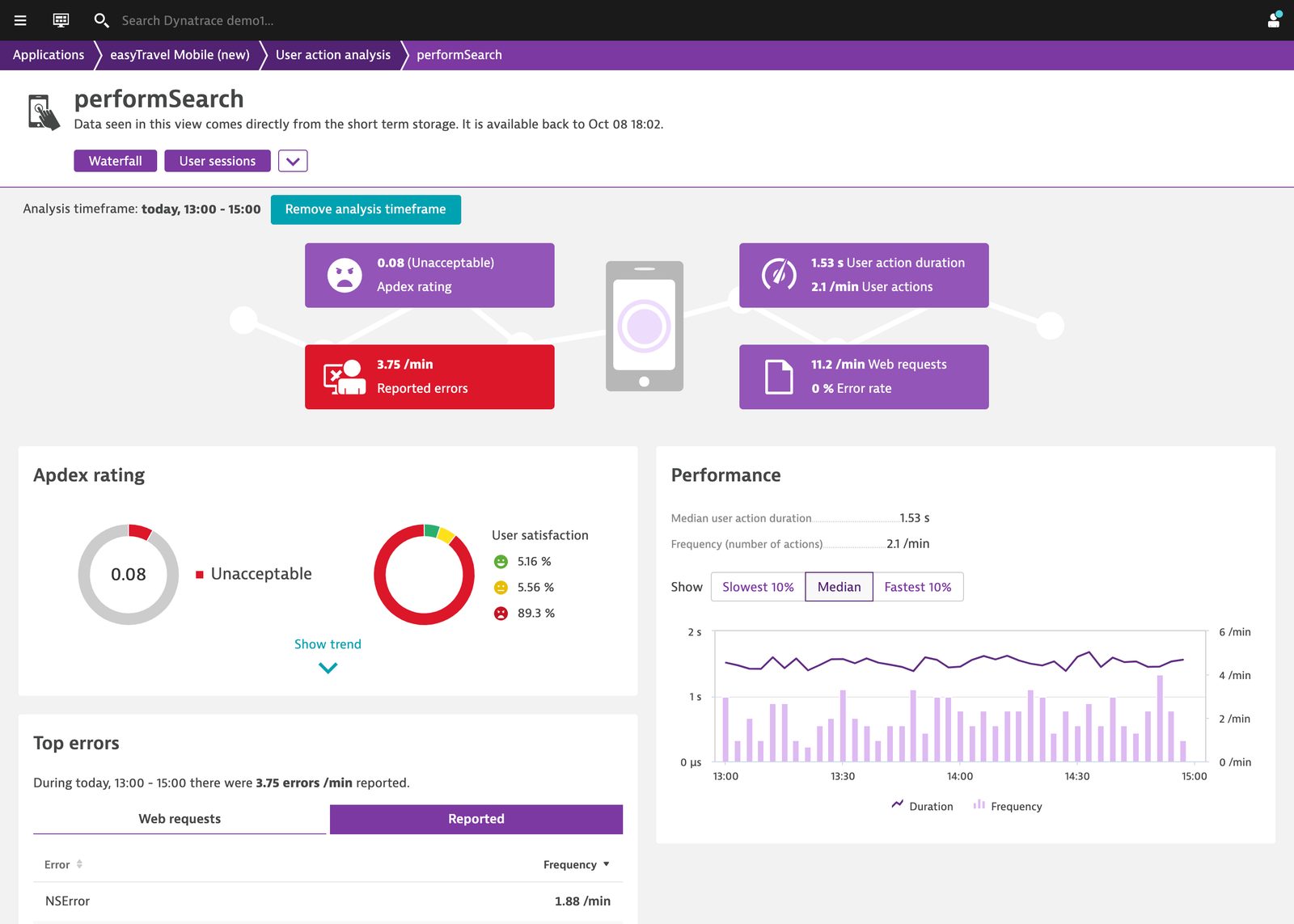
  • Analyze the end-to-end performance in relation to your backend systems.

Get started

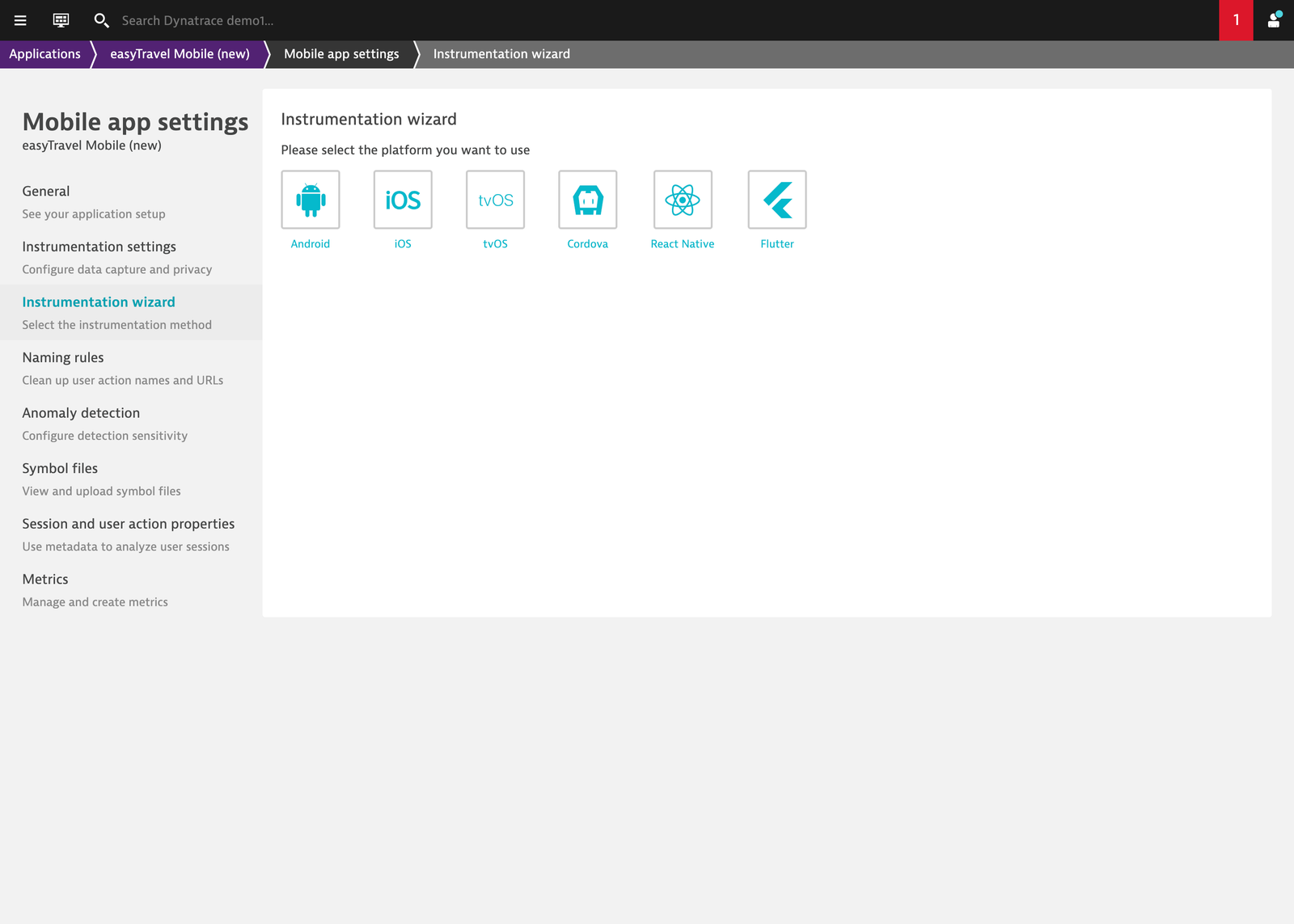
Add a mobile app that you want to monitor; provide a name; then follow the instrumentation wizard for your respective development framework.

If you have direct access to your mobile app project, you can complete the instrumentation by adding a code snippet. Otherwise, ask your mobile app team for help adding the respective code snippets.

Once you've added the dependencies to your app, you're covered with several auto-instrumented actions, requests, and errors. Data is sent from your local device (for example, an emulator) to Dynatrace to understand what is monitored out-of-the-box. From there, you can manually adapt and extend the instrumentation (for example, with the help of Dynatrace Documentation or our sample apps).

If you're eager to learn about our auto-capturing features, but don't want to use your own app, you can use our Android or iOS sample apps. You'll find the sources linked in the instrumentation wizard, as well as on Dynatrace GitHub.

Details

With mobile monitoring, you can monitor the mobile experiences of your users and connect backend and frontend application performance to get full visibility into user-facing response times, as well as the root cause for a particular issue.

Get started quickly by adding our purpose-built libraries, which have a wide range of out-of-the-box capturing capabilities, to the code of your mobile apps. Mobile monitoring works regardless of whether you build your apps natively with Android or iOS, or if you use cross-platform frameworks.

Compatibility information

  • Android (Java, Kotlin) incl. Jetpack Compose
  • iOS (Swift, Objective-C) incl. SwiftUI
  • Cordova (and other hybrid frameworks)
  • Xamarin
  • .net MAUI
  • React Native
  • Flutter
Dynatrace
DocumentationMore Information
By Dynatrace
Dynatrace support center
Copy to clipboard
Customer story Mitchells & Butlers
“By alleviating customer friction and providing better digital experiences with Dynatrace, our order-at-table mobile application has up to 20 percent higher order value than customers ordering from the bar.”
Mark Forrester
Digital Readiness Manager
See their story
Mitchells & Butlers logo

Related to Mobile

Android logo

Android

Monitor Android app stability, performance, and usage in real-time.

Apache Cordova logo

Apache Cordova

Monitor hybrid mobile apps built with Cordova running on iOS or Android.

Flutter logo

Flutter

Monitor mobile applications built with Flutter on iOS or Android.

iOS logo

iOS

Optimize iOS app performance with real-time monitoring and UX insights.

React Native logo

React Native

Monitor mobile applications built with React Native running on iOS or Android.

Xamarin logo

Xamarin

Monitor mobile applications built with Microsofts's popular Xamarin platform running on iOS or Android.

Dynatrace Hub
Hub HomeGet data into DynatraceBuild your own app
Dynatrace Intelligence - Agentic Operations SystemThe Dynatrace Agentic AI ecosystem
All (914)Log Management and AnalyticsKubernetesAI and LLM ObservabilityInfrastructure ObservabilitySoftware DeliveryApplication ObservabilityApplication SecurityBusiness Observability
Filter
Type
Built and maintained by
Deployment model
SaaS
  • SaaS
  • Managed
Partner FinderBecome a partnerDynatrace Developer

Digital Experience

Ensure that all your applications are available, functional, fast, and efficient across every channel, from mobile and web to IoT and APIs.

Real user monitoring

Analyze and manage real user monitoring (RUM) data of web, mobile, and custom applications.

See more (1)
Experience Vitals logo

Experience Vitals

Optimize UX with core vitals, frontend error tracking, and end-to-end visibility.

Error Inspector logo

Error Inspector

Discover, triage, and manage errors across all your frontends.

Web logo

Web

Analyze and manage real user monitoring (RUM) data of Web applications.

Mobile logo

Mobile

Analyze real user monitoring data of mobile apps in context with the backend.

Session Replay Classic logo

Session Replay Classic

Fix bugs and simplify complex issues with visual recordings of user sessions.

Session Segmentation logo

Session Segmentation

View and analyze the Real User Monitoring (RUM) sessions from all applications.

Synthetic monitoring

Synthetic logo

Synthetic

Monitor your application's health around the world and around the clock.

Credential Vault logo

Credential Vault

Securely store credentials for your synthetic monitors and extensions 2.0.

More resources

Android Webkit logo

Android Webkit

Provides tools for browsing the web.

Apple Safari logo

Apple Safari

Graphical web browser developed by Apple, based on the WebKit engine.

Flutter logo

Flutter

Monitor mobile applications built with Flutter on iOS or Android.

Google Chrome logo

Google Chrome

Cross-platform web browser developed by Google.

iOS Safari logo

iOS Safari

Graphical web browser developed by Apple, based on the WebKit engine.

Microsoft Edge logo

Microsoft Edge

Real user monitoring - visibility and monitoring starting on you clients browser (desktop, tablet, mobile).

Microsoft Internet Explorer logo

Microsoft Internet Explorer

Series of graphical web browsers.

Mozilla Firefox logo

Mozilla Firefox

Free, open source web browser that uses the Gecko layout engine.

Opera logo

Opera

Freeware web browser for Microsoft Windows, Android, iOS, macOS, and Linux operating systems.

React Native logo

React Native

Monitor mobile applications built with React Native running on iOS or Android.

Users & Sessions logo

Users & Sessions

Discover how users and cohorts with common characteristics experience your app.

Xamarin logo

Xamarin

Monitor mobile applications built with Microsofts's popular Xamarin platform running on iOS or Android.

Xcode logo

Xcode

Environment containing a suite for developing software for macOS, iOS, iPadOS, watchOS, and tvOS.

Are you looking for something different?

We have hundreds of apps, extensions, and other technologies to customize your environment

Support

Crash-free, 5-star mobile apps

Crash-free, 5-star mobile apps

Learn to leverage mobile analytics to fix app performance issues before they impact your users and revenue.
Learn the top tips
Connect logs for better user journeys

Connect logs for better user journeys

Deepen your insights into real user journeys and user experience pitfalls when you connect logs to session replay.
Read more
Maintain location health the easy way

Maintain location health the easy way

Learn to use private synthetic locations to immediately identify which of your locations need personal attention.
Learn how
An end to Android app crashes

An end to Android app crashes

Dynatrace mobile app monitoring enables immediate, accurate analysis of real user sessions on Android as well as iOS.
Read more
Simpler, easier mobile monitoring

Simpler, easier mobile monitoring

Learn how to make our automated, all-in-one approach to monitoring mobile apps work for you.
Read how
Prioritize optimizations with AI help

Prioritize optimizations with AI help

Get more value from Dynatrace, with AI support to identify user experience problems, root causes, and remedies.
Learn more