


 Outbound Connections Setting
Outbound Connections Setting
Manage forwarding to private endpoints and restrict access to external hosts.
App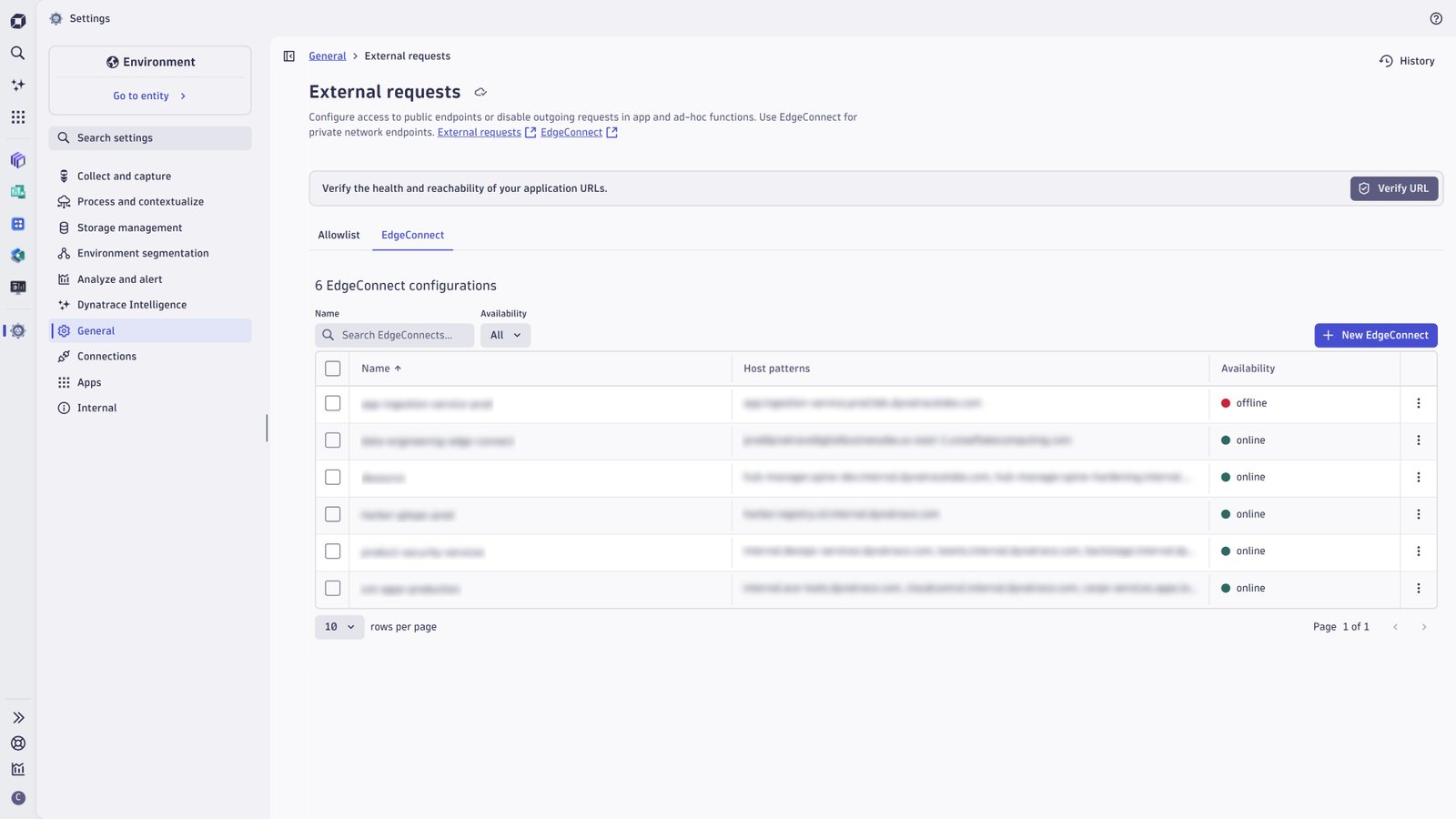
- Product information
- Release notes
Overview
Securely connect and interact with your IT environment from within Dynatrace® apps or workflows, whether it is on running on-premises or a private cloud network. This enables you to e.g. access your private network's Jira instance from a workflow and create or update a Jira issue.
Use cases
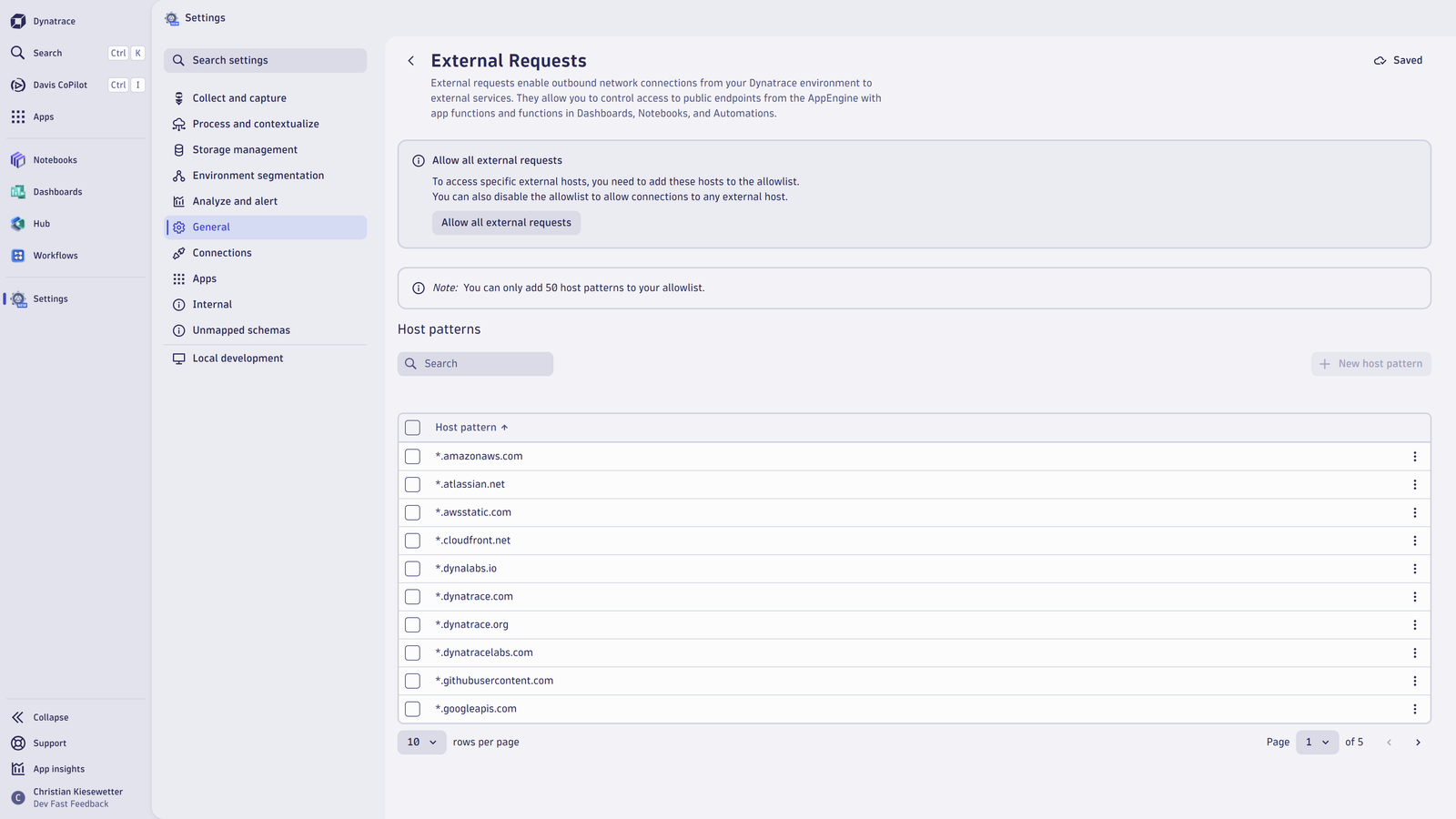
- create and manage outbound connections as external requests using allow lists
outbound connection
- connect to private network endpoints using EdgeConnect
- define which requests are forwarded to which EdgeConnect connection
- perform health tests
- Limit the accessibility of public endpoints from functions running in the Dynatrace JavaScript runtime, whether it's App functions (which build the backend of Dynatrace Apps) or Ad-hoc functions (used in Notebooks, Dashboards, Workflows or via API).
Get started
Outbound Connections Settings comes pre-installed with every Dynatrace environment and extends the capabilities of Settings, which can be found under "General - Environment management - External requests"
Full version history
ReleaseDate
Full version history
1.13.0
Minor Changes
- Dependency updates
- Toast messages displayed after changes were successfully saved
- Documentation link displayed in table footer when there are no EdgeConnects configured
Full version history
1.12.0
Minor Changes
- Dependency updates.
Full version history
1.11.1
Minor Changes
- Move loading indicators for matching URLs and testing http requests into the respective button.
- Ask user for confirmation if navigating away during modal opened
Patch Changes
- render EdgeConnect details accordion no longer as surface to align to design draft
Full version history
1.9.0
- EdgeConnect configurations can be configured
- New Verify-URL feature previews whether a URL is accessible given the current configurations
Full version history
1.5.7
- Number of host patterns is displayed above table showing host patterns
- Host pattern property is required in add-on modal for adding a host pattern
- Dependency updates
Full version history
1.5.5
Minor Changes
- Display more striking warning concerning removal of host patterns when allowlist is disabled
- Display breadcrumbs and button to browse history of configuration changes
Full version history
1.4.0
Minor Changes
- Add-on intent shows a better styled error message in the edge case where allowlist is disabled
- Table interactions are disabled when users are missing the necessary permissions for writing the setting
Full version history
1.3.2
Initial version