
Skip to technology filters Skip to main content
Dynatrace Hub

Extend the platform,
empower your team.

Popular searches:
Home hero bg
Port AIPort AI
Port AI

Port AI

Ground every Port AI conversation in live Dynatrace production data.

Technology
Free trialDocumentation
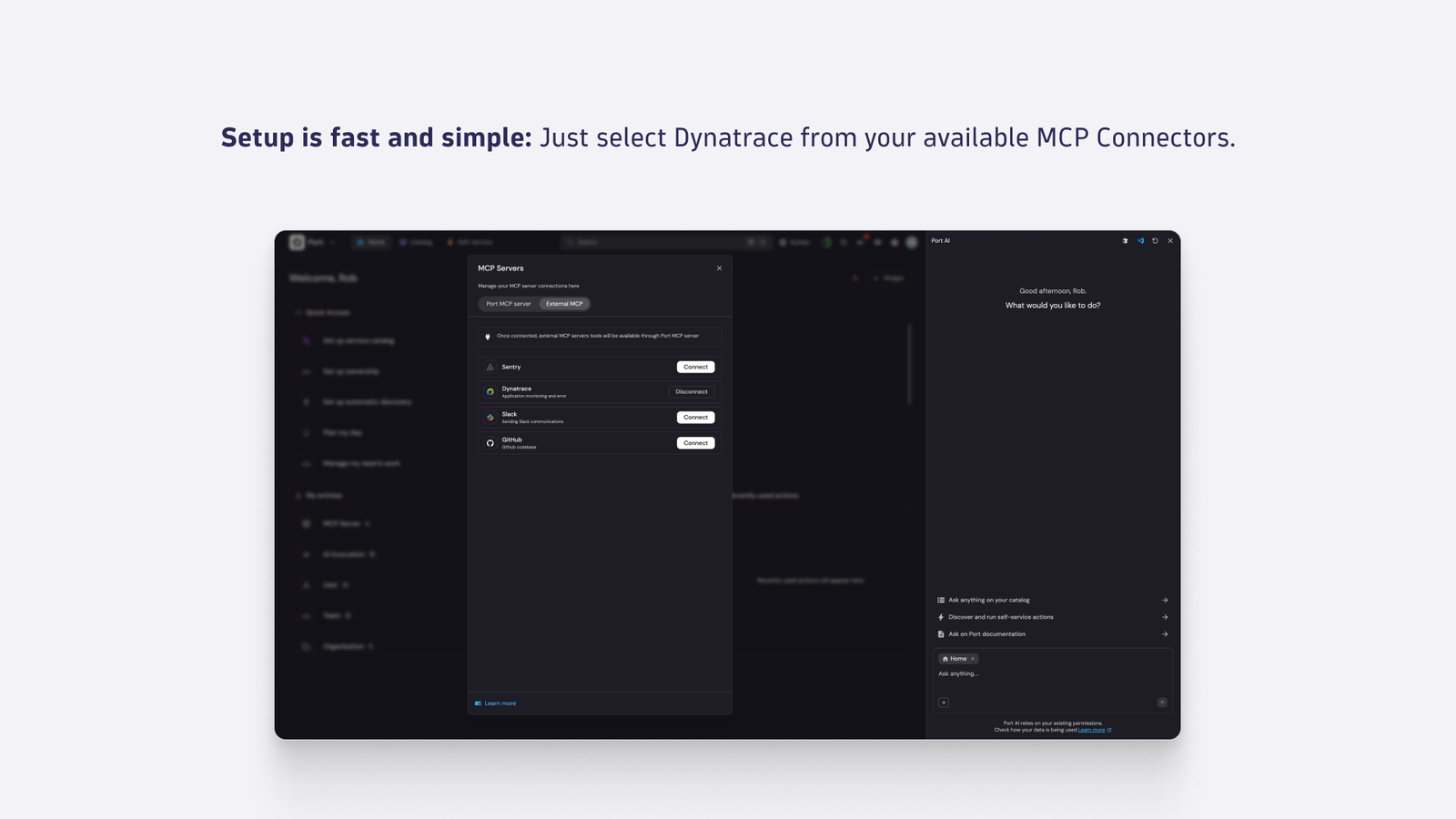
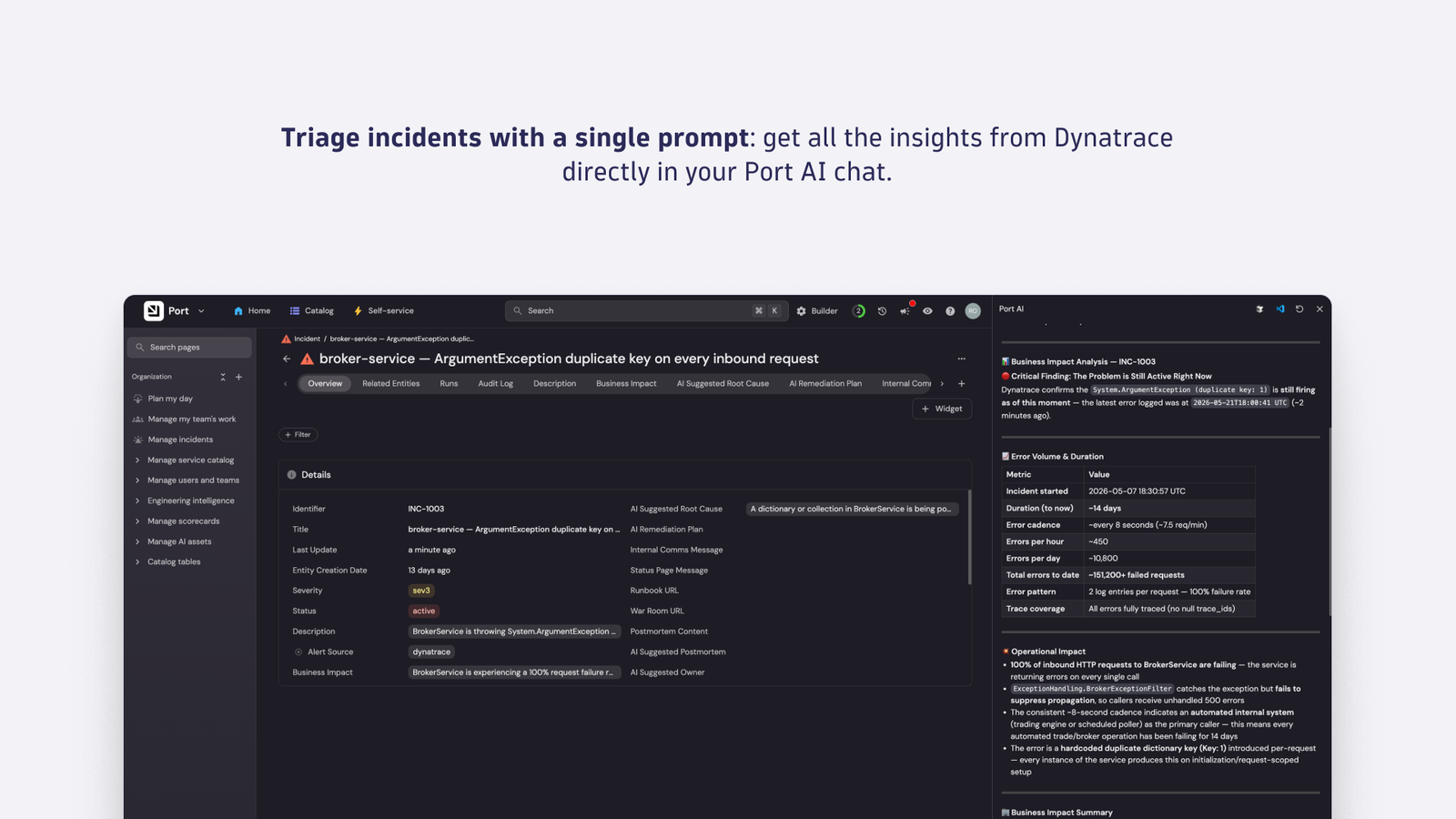
Setup is fast and simple: Just select Dynatrace from your available MCP Connectors.Triage incidents with a single prompt: get all the insights from Dynatrace directly in your Port AI chat.
  • Product information

Overview

The Dynatrace integration brings live runtime observability into every Port AI conversation. Instead of switching between your developer portal, observability platform, source host, and chat tool to investigate an issue, you ask once and get an answer that correlates production signals, code, and ownership in a single agent run.

  • Triage incidents from a single prompt: ask Port AI what's wrong and get back the failing service, error signature, suspect commit, and author in one agent run.
  • Correlate deployments with production behavior: connect recent commits and pipeline runs to live Dynatrace traces and problems without leaving the Port chat.
  • Generate on-call summaries: ask Port AI to summarize active problems for the services you own, with Dynatrace root-cause context already attached.
  • Draft postmortems with grounded data: pull the timeline, affected entities, and causal chain directly from Dynatrace into a Port AI–assisted writeup.
  • Investigate unknown services safely: query production signals for any service in the Port catalog, scoped to what your Dynatrace permissions already allow.

Get started

Setup is done once by a Port admin and then available to every authenticated Port AI user in your organization.

  1. Add Dynatrace as a data source. In Port, go to Data Sources → + Data source → MCP Servers. Select Dynatrace, fill in the connector details, and click Connect to authenticate with your Dynatrace tenant.
  2. Expose the tools you want Port AI to use. Under Allowed Tools, add the Dynatrace capabilities you want available across your organization — for example, querying production data, listing problems, retrieving problem details, and finding troubleshooting guidance. Click Publish.
  3. Register the incident triage skill. Add the ai-incident-triage skill from Port's skill library and point it at the incident entities in your catalog.
  4. Let users authenticate individually. On first use, each Port AI user signs in to Dynatrace through OAuth. Queries return only the data their existing Dynatrace permissions already allow.
Dynatrace
Documentation
By Dynatrace
Dynatrace support center
Copy to clipboard

More resources

Incident triage walkthrough

Incident triage walkthrough

Understand what a complete triage walkthrough in Port AI looks like.
Read more

The Dynatrace agentic ecosystem

The Dynatrace agentic ecosystem

Real agentic ecosystem use cases for SREs, developers, IT Ops, and more.
Read more
Dynatrace Hub
Hub HomeGet data into DynatraceBuild your own app
Dynatrace Intelligence - Agentic Operations System
All (914)Log Management and AnalyticsKubernetesAI and LLM ObservabilityInfrastructure ObservabilitySoftware DeliveryApplication ObservabilityApplication SecurityBusiness ObservabilityDigital Experience
Filter
Type
Built and maintained by
Deployment model
SaaS
  • SaaS
  • Managed
Partner FinderBecome a partnerDynatrace Developer

The Dynatrace Agentic AI ecosystem

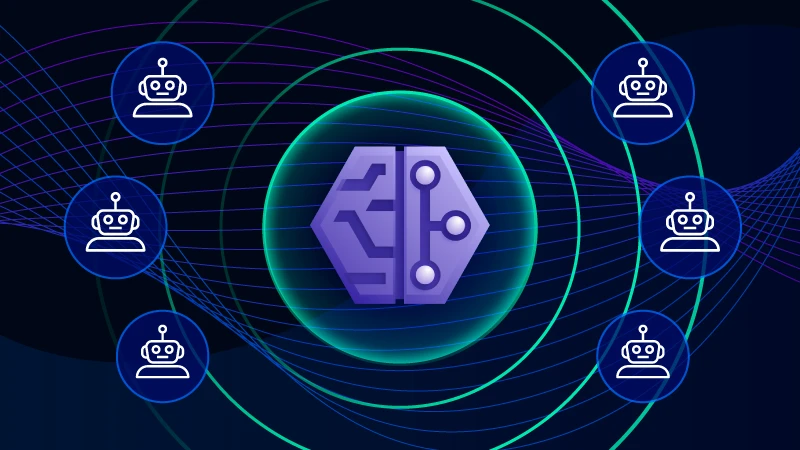
Dynatrace Intelligence at the center of the agentic ecosystem — connecting trusted AI Agents across development, operations, and business workflows for seamless, automated collaboration.

SRE Agents - Collaborative Operations

Works hand-in-hand with DevOps and SRE agents to share deep context, co-investigate issues, and deliver precise, automated remediation recommendations.

AWS DevOps Agent logo

AWS DevOps Agent

Resolve issues autonomously with Dynatrace and the AWS DevOps Agent.

Azure SRE Agent logo

Azure SRE Agent

Unlock autonomous cloud operations fueled by Dynatrace insights.

ServiceNow Assist logo

ServiceNow Assist

AI‑driven alert clarity for Now Assist for IT Operations Management (ITOM).

Cloud SRE Agents logo

Cloud SRE Agents

Orchestrate cloud-native AI agents for autonomous incident resolution.

ITSM and ITOps Agents - Closed-Loop Autonomous Operations

Dynatrace Intelligence collaborates with and orchestrates ITSM and automation workflow agents for complete resolution, streamlining workflows and eliminating manual handoffs.

Atlassian Rovo Ops logo

Atlassian Rovo Ops

Resolve incidents faster with Dynatrace agentic insights in JIRA or Confluence.

PagerDuty​ Agent logo

PagerDuty​ Agent

Integrate Dynatrace with PagerDuty to automate incident creation and management.

ServiceNow Assist logo

ServiceNow Assist

AI‑driven alert clarity for Now Assist for IT Operations Management (ITOM).

Developer and Coding Agents - AI-Powered Code Repair

Answers and context enables coding agents to auto-fix bugs and vulnerabilities, accelerating recovery and freeing up innovation time.

See more (6)
Kiro logo

Kiro

Get code-level insights for troubleshooting optimization and remediation.

GitHub Copilot logo

GitHub Copilot

Accelerate code-level error-resolution with real-time production insights.

Atlassian Rovo Dev logo

Atlassian Rovo Dev

Prioritize and remediate production-impacting vulnerabilities with AI context.

Gemini Code Assist logo

Gemini Code Assist

Boost developer productivity and get code-level insights into Gemini Code Assist.

Claude logo

Claude

Boost productivity to get real-time, code-level insights into Claude Code.

Cline logo

Cline

Boost developer productivity and get real-time, code-level insights into Cline.

Others

n8n logo

n8n

Build agentic workflows based on reliable, real-time production insights.

Postman logo

Postman

Bring real runtime observability into Postman’s Agent Mode for API workflows.

Port AI logo

Port AI

Ground every Port AI conversation in live Dynatrace production data.

AI Model Integrations

Uplevel your workflows running in Dynatrace with connecting to external LLMs.

Claude Connector for Workflows logo

Claude Connector for Workflows

Connect with Claude and send prompts for further analysis using Workflows.

Gemini Connector for Workflows logo

Gemini Connector for Workflows

Connect with Gemini and send prompts for further analysis using Workflows.

OpenAI Connector for Workflows logo

OpenAI Connector for Workflows

Connect with OpenAI and send prompts for further analysis using Workflows.

Are you looking for something different?

We have hundreds of apps, extensions, and other technologies to customize your environment

More resources

Dynatrace Intelligence

Dynatrace Intelligence

AI-powered observability from Dynatrace enables the next generation software delivery life cycle process with AI engineering, AI operations, agentic SRE, and AI business analytics, through real-time facts from production systems.
Read more
Dynatrace MCP Server

Dynatrace MCP Server

Enable your AI assistants to interact with Dynatrace and access live production insights.
Read more
Agentic ecosystem

Agentic ecosystem

AI is only as smart as the data it works with and only as effective as the workflows it’s embedded into.
Read more
Learn what's inside Dynatrace Intelligence

Learn what's inside Dynatrace Intelligence

The tools, ready-made agents and workflows that power the agentic operations system.
Learn more